|
Defiant1 Posts: 720
8/13/2021
|
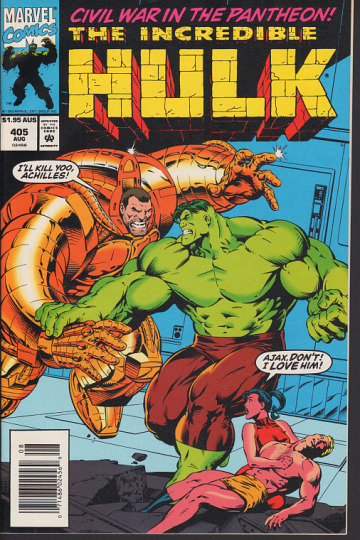
I only own one Australian price variant for a Marvel Comic. It shipped to Tucker GA instead of Australia. Proof that they are printed in the U.S.
The only scan I've uploaded to the web wasn't cropped.
|
|
|
0
link
|
|
collectibleshop Posts: 3088
8/13/2021
|
when I saved the image to crop it, the file name was tumblr_ptzt9uLgR01rl13p0o1_400.png.jpg ---so can't use .png and .jpg at the same time. attached is a cropped .jpg of it, see if that works.
|
|
|
0
link
|
|
Casper0312 Posts: 488
8/14/2021
|
I added Incredible Hulk #405 Australian variant:
https://comicspriceguide.com/titles/incredible-hulk-the/405C/phurnqv
|
|
|
0
link
|
|
Defiant1 Posts: 720
8/14/2021
|
collectibleshop wrote:
when I saved the image to crop it, the file name was tumblr_ptzt9uLgR01rl13p0o1_400.png.jpg ---so can't use .png and .jpg at the same time. attached is a cropped .jpg of it, see if that works.
I most likely uploaded a png file and Tumblr changed it for some reason.
I use Irfanview for most of my image viewing offline. If you open an image file that is incorrectly named, it will offer to rename it to the correct file format.
|
|
|
0
link
|
|
Gilgandra Posts: 1246
8/19/2021
|
Ronbatman wrote:
Looking into it now.
Ron
Hey Ron.
Any word on this. Still not loading mate.
|
|
|
+1
link
|
|
Casper0312 Posts: 488
8/22/2021
|
I’ve been tracking a bunch of replacement covers I’ve added when verifying. I had about 20 where the image was “stuck” just saying approved. All but about six of them are finally displaying the uploaded cover now. All the covers I’ve added todsy are stuck in Approved placeholder image

All variant submissions are still showing as a blank in the thumbnail (no placeholder) and error comes up when trying to access:

Clicking on broken image (this is a little different before) yields the same error:

Hope this helps,
David
|
|
|
0
link
|
|
sclingerman Posts: 165
8/22/2021
|
Bugbearsdad wrote:
I am getting the same issue, no covers loading. Deleting cookies and history did not work.
I also get no covers loading for my PC with Chrome 92.0.4515, Firefox 91.0.1, and IE 11.0.9600 for any Title's list or on the "Recent Value Changes" page. The "broken image" icon is displayed instead.
The Chrome browser on my Android phone displays them fine, as does the app on the Android phone.
Deleted all cookies, cache, and history to no avail.
Opening the Image link in another tab (ex: https://file.ac/hncODHhsAGw/MQAyADgAMQA3ADQA.jpg) gives a "This site can't be reached" / "The connection has timed out" error (depending on the browser).
All other visited websites display images.
|
|
|
0
link
|
|
lokyel Posts: 486
8/22/2021
|
windows put out another update when the update is done my started loading again
|
|
|
0
link
|
|
lokyel Posts: 486
8/22/2021
|
windows put out another update when the update is done my started loading again
|
|
|
0
link
|
|
Gilgandra Posts: 1246
8/22/2021
|
yep.
But the whole site works fine for me ... just "Missing Variants" page doesn't work.
|
|
|
0
link
|
|
Ronbatman Administrator Posts: 2530
8/23/2021
|
We are currently working on a fix for this strange missing variant images issue. It's shouldn't take too long though.
Ron
|
|
|
+1
link
|
|
Gilgandra Posts: 1246
8/24/2021
|
Ronbatman wrote:
We are currently working on a fix for this strange missing variant images issue. It's shouldn't take too long though.
Ron
Seems to be working now Ron... 
|
|
|
0
link
|
|
Gilgandra Posts: 1246
8/24/2021
|
Gilgandra wrote:
Ronbatman wrote:
We are currently working on a fix for this strange missing variant images issue. It's shouldn't take too long though.
Ron
Seems to be working now Ron...
Well some do Lol.
Theres alot that is still not working.
|
|
|
0
link
|
|
Gilgandra Posts: 1246
9/3/2021
|
The "Missing Variant Page" pics are back to not loading again.
Ron did they find a solution/answer to it last time. Seemed to work for a short time back to not loading for me.
Does anyone else have the same problem??
|
|
|
+1
link
|
|
BasementComics Posts: 784
9/3/2021
|
I went to the variants for the Batman Forever books you added and for a brief moment, they didn't load but then eventually popped up.
|
|
|
0
link
|
|
sclingerman Posts: 165
10/2/2021
|
I'm still having problems with images displaying. It's the same in Firefox 92.0.1, Chrome 94.0.4606.61, and IE 11.0.9600.19596
Take, for example, my "My Display Case" page at https://comicspriceguide.com/members/sclingerman. I see 25 of my covers displaying, and 23 that show the broken-image icon.
All the images that display start with the URL https://comicspriceguide.com/img/members/plrrhv/covers/
Example: https://comicspriceguide.com/img/members/plrrhv/covers/sub-mariner-1-volume-1-whf2zv3f_lrg.jpg
All the images that do NOT display start with the URL https://file.ac/
Example: https://file.ac/i2NuOiGFSKE/cb0d4ce3-2e7b-4534-a9d5-73b91224782d_lrg.jpg
And when I search for "Fantastic Four", and select the 1961-2012 Volume 1, I see the thumbnails of all the covers on the page (with the "PRICE GUIDE" tab selected) - https://comicspriceguide.com/titles/fantastic-four/smpy#pricing. All of those images that display have a URL that starts with https://comicspriceguide.com/image/smpy/
But when I click on the "MY ISSUES" tab, all the thumbnails are the broken-image icon - https://comicspriceguide.com/titles/fantastic-four/smpy#my-collection. All of the broken-image icons have the URL that starts with https://file.ac/
This page REALLY doesn't make sense because the thumbnails under the Fantastic Four's "MY ISSUES" tab should show your stock image. But they're the broken-image icon.
But when I click on on a specific issue, like FF#230, your stock image is displayed under the "MY ISSUES" tab (https://comicspriceguide.com/image/smpy/xouub)... just not for the "MY ISSUES" main FF listing.
I tried to delete my uploaded cover for X-Men 94, and a popup said it could not delete the image (with the "https://file.ac URL). So I deleted the entire entry... re-entered it... and then re-uploaded my my pic of it... and now that one displays and has the https://comicspriceguide.com/img/members/plrrhv/covers/ URL instead of the http.file.ac one.
I can do this for all my uploaded covers, but as I said above, when I select the "MY ISSUES" tab, NONE of the thumbnails display for that list.
Why are some of them going to this "https://file.ac" web site?
Please help me with this.
|
|
|
0
link
|
|
collectibleshop Posts: 3088
10/3/2021
|
I also notice the file.ac thing causes lots of delays in loading pics, or doesn't ever load them and you get the 'it's not available at this time' popup. could be the host site for the pics not performing up to snuff?
|
|
|
0
link
|
|
Ronbatman Administrator Posts: 2530
10/3/2021
|
So as you know, we have had some issues with the image hosting site. We use a ridiculous amount of their bandwidth with our 1 million stock images plus all the customer uploads. We've had numerous talks with them and nothing seems to change. We've started moving the files back to our servers. So what you're noticing with the Url is the movement to our servers. We want this fixed as much as you guys, it's frustrating to us as well. It will be right!
Ron
edited by ronbatman on 10/3/2021
|
|
|
+1
link
|
|
collectibleshop Posts: 3088
10/3/2021
|
yay, hope it goes ok and your servers can handle the load, or maybe use some cloud service?
|
|
|
0
link
|

